
M3XI Get CallMe
New: Meet the dog, and take it for a walk

CallMe by M3XI

Ditch the card games.

CallMe is for meeting people by talking to them. Press the letter three times and you are in a voice call with someone who is online now. No swiping through photographs, no chat that dies after two messages, and cameras only if you both ask.

Get it on Google Play Coming soon to the App Store

On Android now. The iPhone app is with Apple for review.

  • Voice first
  • 18+ and ID-checked
  • Five free calls a day
  • My country or International
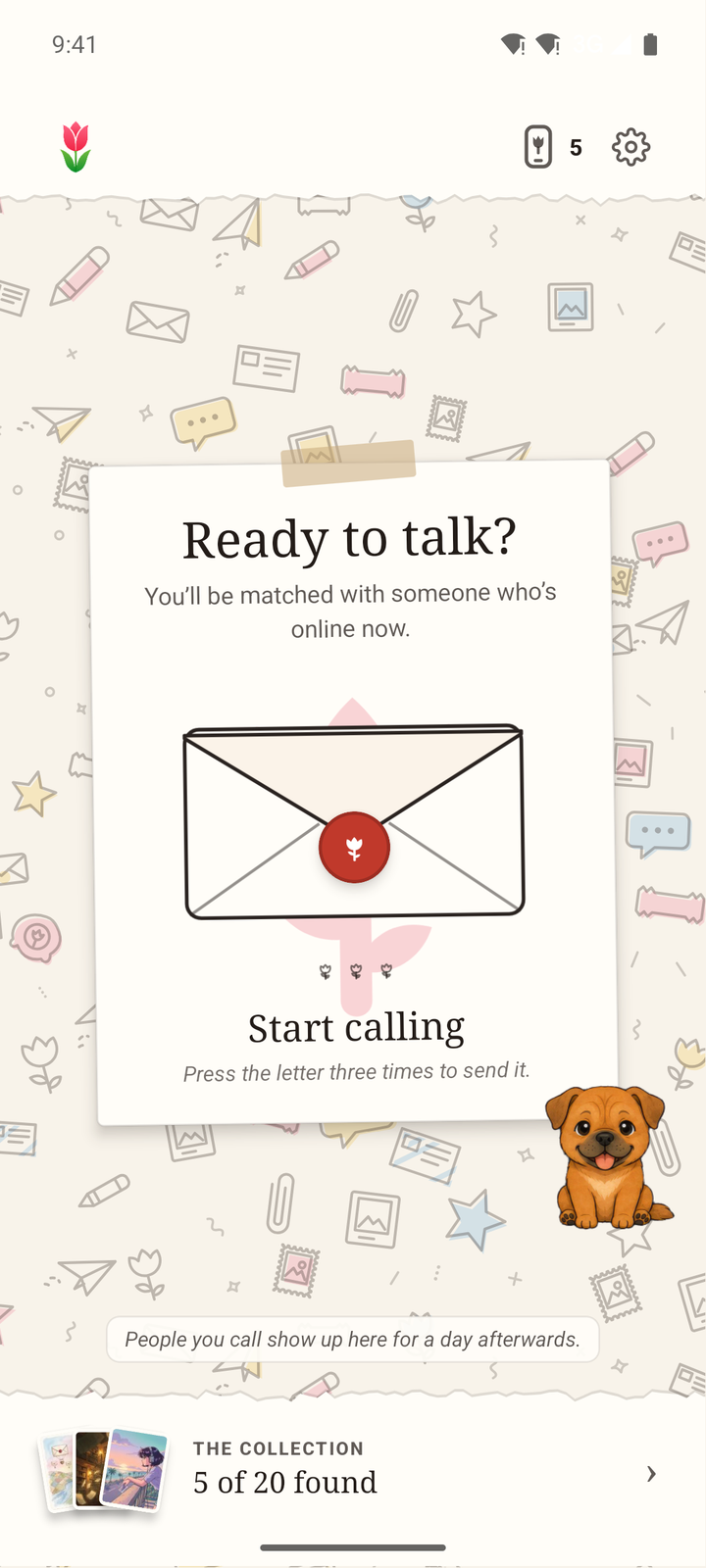
The CallMe Lobby, with the cartoon dog beside the letter you press to start a call
The CallMe dog, a small ginger puppy, holding an old telephone receiver to its ear
It’s for you

How it works

Three steps to a real conversation.

No profile to write, no opening line to agonise over. Set yourself up once, then let CallMe find someone.

Your first call

  1. Check your age, once.Everyone on CallMe is 18 or over and has passed an ID check. You do it one time, in the app, and it is done.
  2. Press the letter three times.CallMe finds someone who is online now. The only setting is how far to look: My country or International.
  3. Talk.Their cards are dealt first, so you can see who you are meeting. The call starts as voice, and cameras come on only if you both ask.

Go on, say hello.

Finding someone who is online now…

On every call

  • Skip after the first minute, and we find you someone new.
  • Ask to be friends if it went well, and chat whenever you like.
  • Sit at a table with a few people around a topic, if one to one is not your thing.
  • Report or block from any call. A report never says who made it.

New in CallMe 0.10

Meet the dog.

A small cartoon dog now lives in CallMe, drawn from our founder’s own. It shows you round on your first day, keeps you up to date with your friends, and it is always ready for a walk.

  • The dog sitting up, smiling and waving a paw
    I’ll show you round

    Your first day

    A guided tour

    It walks you through calling, your card and poster, friends, the map and walks. Take the tour again any time from Settings.

  • The dog with its nose to the ground, sniffing
    Any news?

    Tap it

    News from friends

    Hear who is at a table, who has posted a snapshot and who is off to an event. Only friends, and only those who choose to share.

  • The dog standing on its back legs, pointing up and to the side
    Let go for the map

    Hold, then let go

    The friends map

    Hold the dog still until it points, then let go, and the map of your friends opens.

  • The dog trotting along on a red lead
    Time for a walk

    Press and shake

    A walk

    Keep a finger on the dog and give your phone a shake to set off. Do the same again to stop.

Rather not have a dog about? You can hide it in Settings, under Your dog.

Also new

Walks, snapshots and a map of friends.

What arrived with the dog, and a few things that got easier.

  • Walks

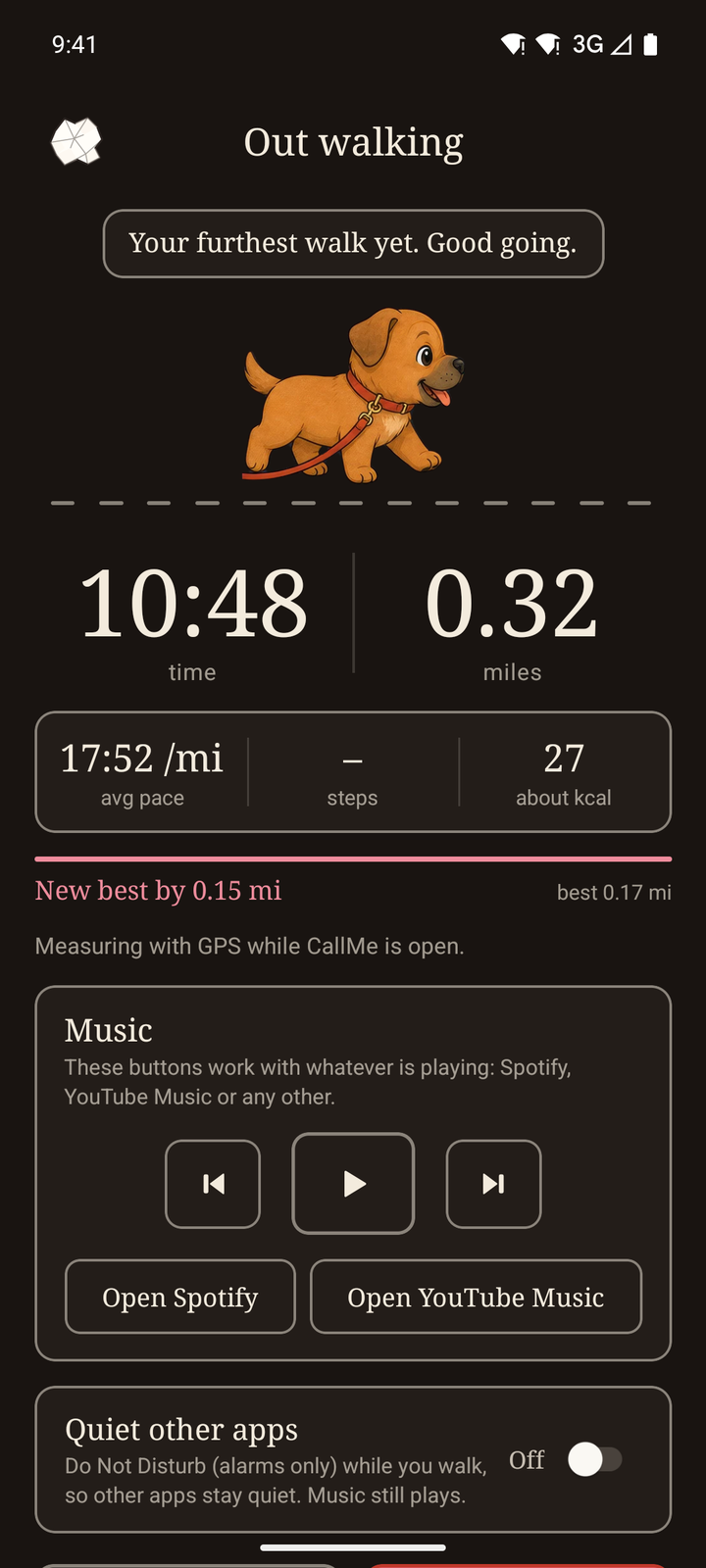
    Press the dog and shake your phone to set off. You see the distance, your pace, the time and about how many calories, with personal bests to beat.

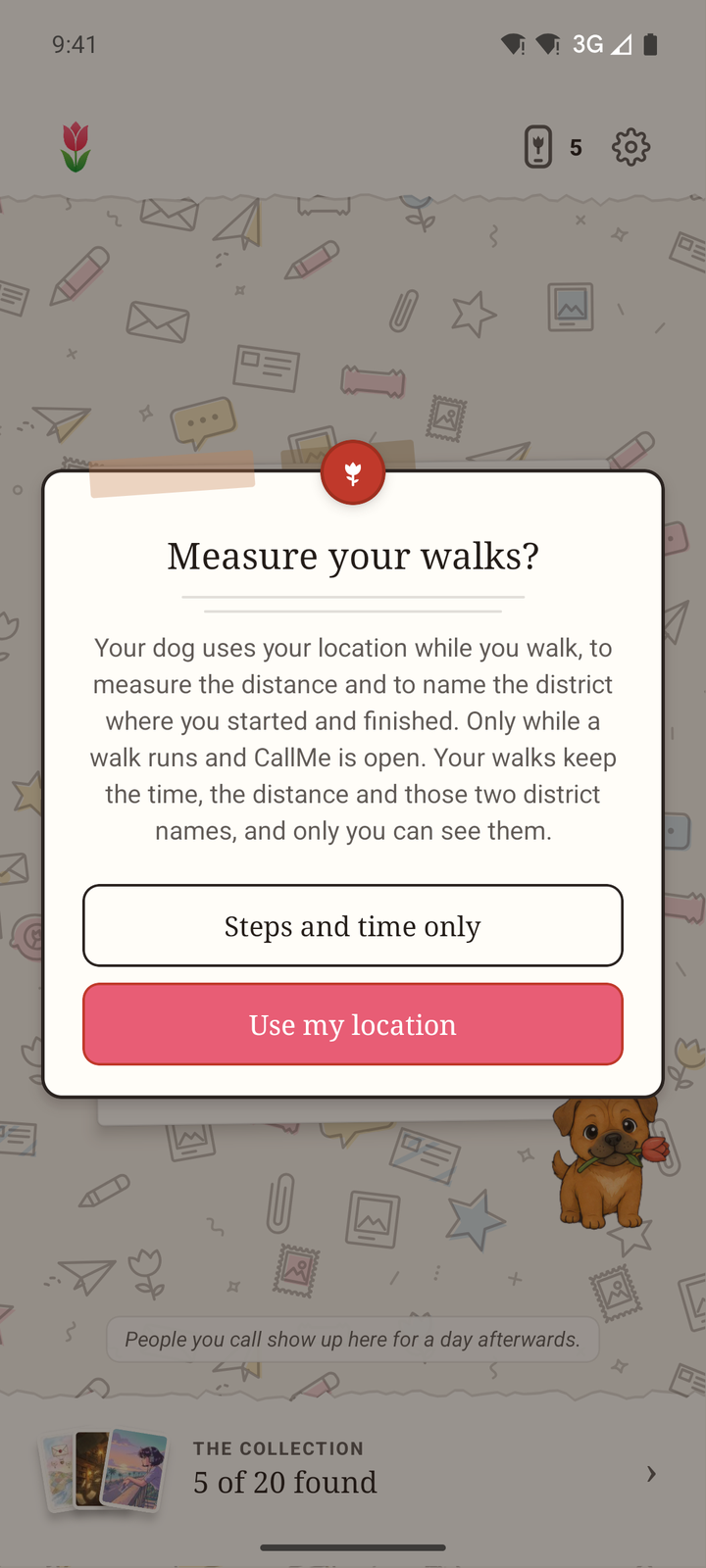
    Your location is used only while CallMe is open.

  • Snapshots

    A photo for your friends, with a few words on it, that lasts 24 hours.

    Every snapshot is checked before your friends see it.

  • The friends map

    Off until you turn it on. Then only the friends you tick can see you, by town or precisely, and it switches itself off after 24 hours.

    It updates only while CallMe is open.

  • Events

    What’s on, in the app and here on the site. When you arrive, scan the QR code at the venue to check in.

    See what’s on

  • Posters you can handle

    Drag, pinch to size and twist to turn. Pins, clips and tape hold things up, and if you pull a pin out, the piece falls. New stickers and modules too.

  • Photos, cropped your way

    Take a photo or choose one, then crop it: pinch, drag and rotate, and pick Original, Square or 4:5.

Inside the app

What it looks like today.

Straight from the latest CallMe, just as it looks on the phone.

The CallMe Lobby: the letter you press three times to find someone, with the dog beside it
The LobbyPress the letter three times to find someone. The dog keeps you company.
A dog walk in CallMe, showing 0.32 miles, the pace, the time and about how many calories
A walkDistance, pace, time and about how many calories, as you go.
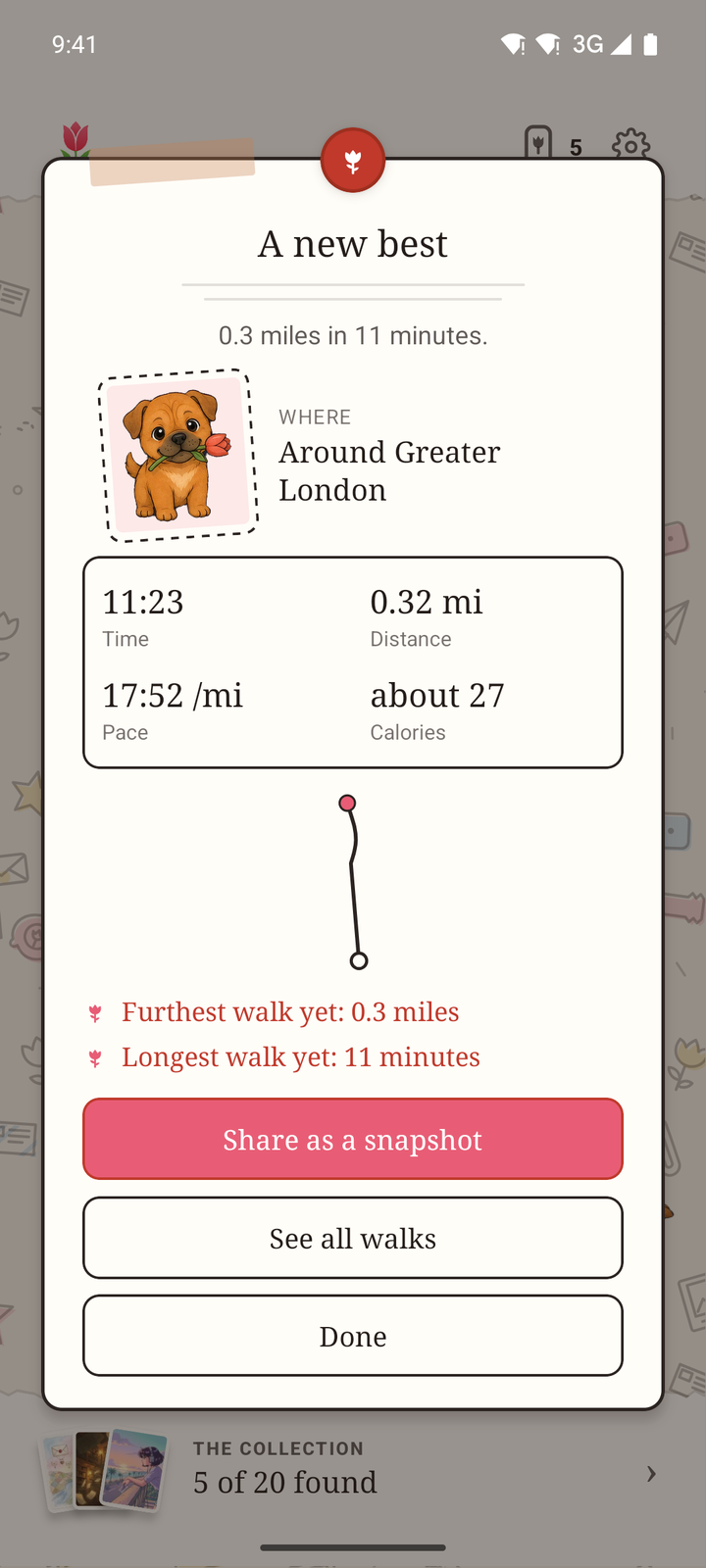
The letter at the end of a walk: a new best, the route, the time, distance, pace and calories
A new bestAt the end, a letter with your route and your bests to beat.
CallMe asking before it uses location for a walk, with a choice of steps and time only
Asked, not assumedLocation only while a walk runs and CallMe is open, and only if you say yes.
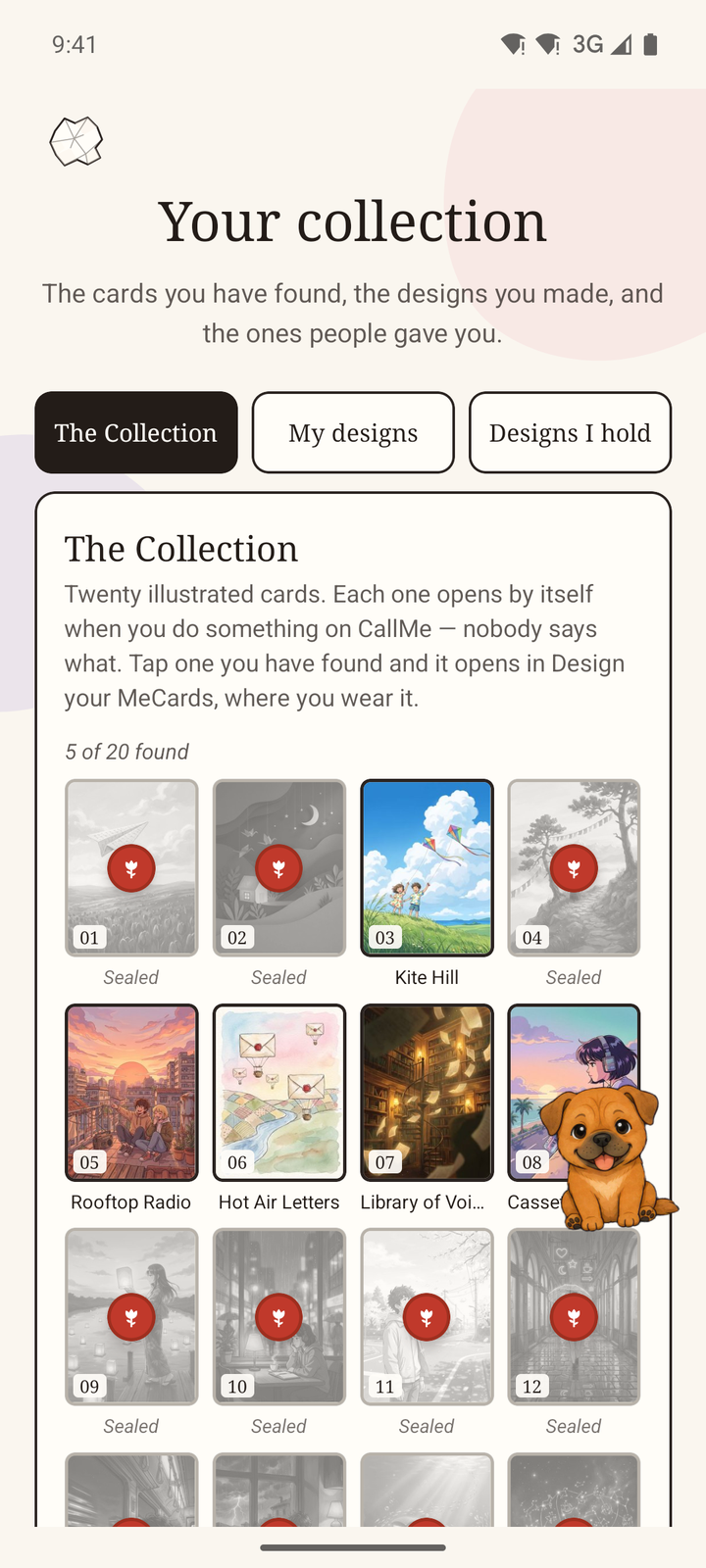
Your collection: twenty illustrated cards, some opened and some still sealed
The collectionTwenty illustrated cards, each opened by doing something on CallMe.

Free to download. Say hello.

Five free calls every day. Calling, friends, tables and the dog all work without paying, and CallMe Premium is there in the app if you want more.

Get it on Google Play Coming soon to the App Store
QR code for CallMe on Google Play

On a computer? Scan this with an Android phone to open CallMe on Google Play.

Make your own

Your own cards, your own wall.

A MeCard is what people see when they meet you on CallMe. A poster is what friends see when they open you, and people you’ve met too if you let them. Both are yours to make, and a card you design can be given to the people you talk to.

  • In the app

    Put up a poster

    Go to Settings, then My poster. Choose a paper, then pin, tape and twist your photos and words into place. It is drawn on your phone, so you see it exactly as your visitors will.

  • In the app

    Make your cards

    From your poster, choose Edit my cards. Pick a paper, add a photo, stickers and your words, and the cards people see when you match are yours.

  • On a computer

    Design card art of your own

    Bring a picture you made yourself, or build one from the papers and stickers, and sign in with your phone. A person reads every design. Then it lands in your collection, and you can give up to twenty copies to people you have met on a call.

See how making a card works

The creator studio comes with CallMe Premium, in the app.

Questions

The short answers.

A few to start with. The rest are on the questions page, and if yours is not there, email support@m3xi.com and a person will answer.

What is CallMe?

CallMe is for meeting people by talking to them. Press the letter three times and you are in a voice call with someone who is online now, instead of swiping through profiles and waiting for replies.

It is a place to meet people and have a conversation. Dating is welcome if that is where it goes, but it is not the point.

Does my camera come on straight away?

No. Every one-to-one call starts as voice. Cameras come on only when both of you have asked. One person can never switch on the other person’s camera, and you can turn yours off at any time without ending the call. Tables have their own camera rule, set by the host.

Who can use CallMe?

Adults aged 18 and over. Everyone verifies their age before they can call anyone, with an identity document, a live selfie and a face match. The check is carried out by our verification provider, and we receive the result rather than your documents.

Can I choose who I am matched with?

There is one setting: My country or International. It goes by the flag you pick on your profile, not by where your phone is. Beyond being 18 or over, nobody is filtered by age, gender or distance. Anyone you block is not matched with you again while the block stands.

Does CallMe know where I am?

Only while CallMe is open, and only for things you start. A walk uses your location to measure the distance. Sharing your place on the friends map is off until you turn it on; then only the friends you tick can see you, by town or precisely, and it switches itself off 24 hours later. CallMe never asks for your location in the background.

How much does CallMe cost?

CallMe is free to use, with five calls a day. You can earn more by watching an advert or by completing weekly achievements. CallMe Premium removes the daily limit and gives you a head start in matching, tables for up to twenty people and the creator studio. Premium and call credits are optional, and you’ll find them, with the price where you live, inside the app.

The team

Who is behind CallMe.

Write to us.

A question about CallMe, a problem with a call, or just what you think of it: a person reads every email.

The CallMe team, London

Help with CallMe
support@m3xi.com
Everything else
m3xiteam@m3xi.com